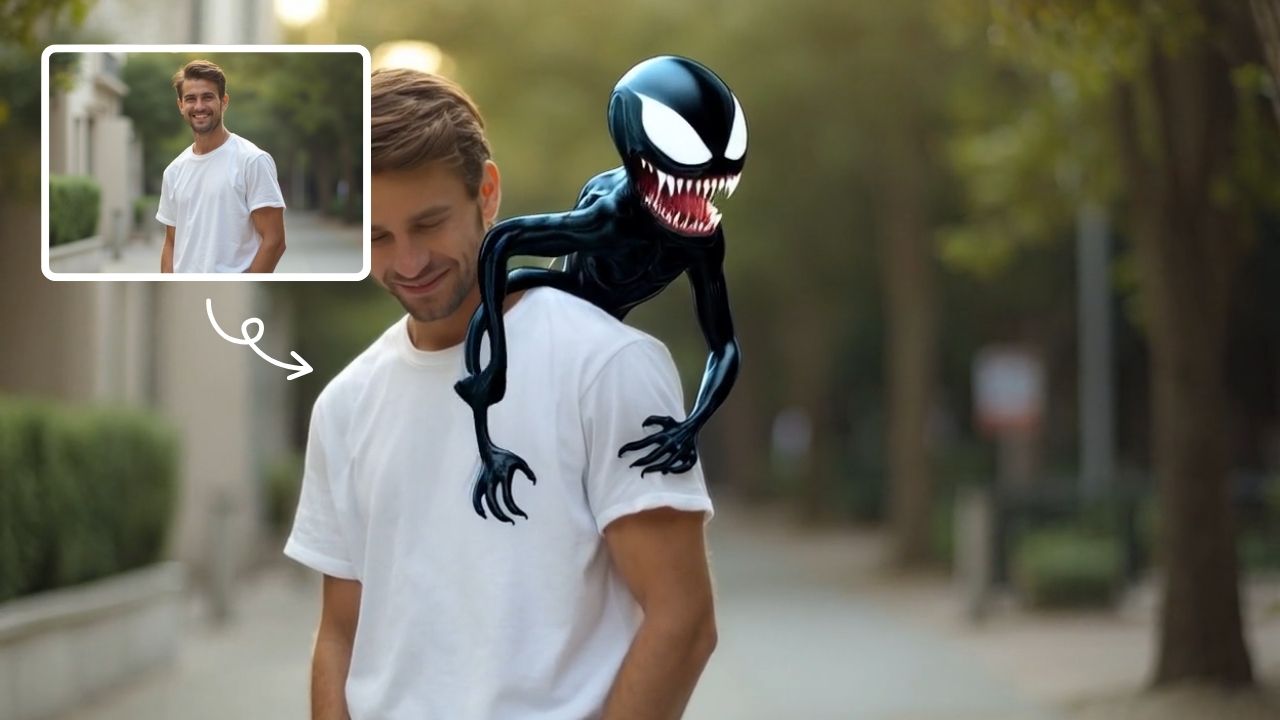
Zoom In Video Effect
Zoom In Video Effect offers free AI video templates to quickly produce professional videos. Key features include one-click creation, support for image and text conversions, and versatile styles. Enhance your content effortlessly, saving time while maximizing impact with user-friendly tools.
This is an example of what AI can create. Generate your own video now!
What Is the Zoom In Video Effect?
The Zoom In Video Effect is a browser-based tool that uses AI video templates to automatically add a smooth, cinematic zoom to your images or text. Instead of manually keyframing in complex software, you simply upload a photo or enter a prompt, and the tool generates a high-resolution video where the camera slowly pushes in on your subject. It’s designed for creators who want professional motion in seconds without a steep learning curve.
Understanding the Zoom In Video Effect
When we talk about a "zoom in" effect in video production, we're referring to a technique where the focal length of the lens appears to increase, drawing the viewer closer to a specific subject. Traditionally, achieving this required manual animation or specialized camera equipment. The Zoom In Video Effect tool automates this entire process.
At its core, the tool leverages AI video generation to interpret your source material. You provide a static image or a text description, select your preferred style (like cinematic or smooth linear motion), and the AI handles the rest. It processes the image, understands the key focal points, and generates a video where the view smoothly converges on the center, maintaining sharpness and resolution throughout the movement.
How the AI Works Behind the Scenes
The technology relies on advanced machine learning models, such as Sora 2 or Veo 3.1, to predict and render the missing visual data. When you zoom in on a static image, you naturally lose the edges. The AI doesn't just crop; it intelligently fills in the periphery to create a seamless, high-resolution video. This process, often called video rendering or scene creation, happens entirely in the cloud, meaning you don't need a powerful computer to get studio-quality results.
Key Features of the Zoom In Video Tool
The tool is packed with features designed to make video creation fast and intuitive. It strips away the complexity of traditional editors and replaces it with smart, one-click actions.
- One-Click Generation: The primary value is speed. You can convert an image to video with a single action, drastically reducing production time.
- Multiple Input Types: It supports various starting points. You can upload an image, use a text prompt to generate the initial scene, or convert existing text into a kinetic typography video with a zoom effect.
- Versatile Styles & Presets: Beyond a basic zoom, you can choose different aesthetics. Whether you need a dramatic cinematic feel for a film project or a clean, linear motion for a corporate presentation, the presets adapt the AI's output.
- Flexible Aspect Ratios: The tool supports common formats like 16:9 for widescreen and 9:16 for vertical platforms like TikTok, Instagram Reels, and YouTube Shorts.
Common Use Cases for the Zoom In Video Effect
Understanding when to use this effect can significantly enhance your content strategy. This tool isn't just about adding movement; it's about directing attention and evoking emotion.
Creating Engaging Social Media Content
For platforms like Instagram and TikTok, capturing attention in the first second is critical. A slow, smooth zoom on a powerful image or text overlay creates a sense of anticipation and focus. It’s more dynamic than a static post and helps your content stand out in a crowded feed. You can quickly process multiple images to create a series of short, impactful videos.
Enhancing Presentations and Marketing Materials
In a business context, a static slide deck can often feel lifeless. By using the Zoom In Video Effect on key product images or data visualizations, you can add a layer of professionalism. Imagine a sales pitch where a product shot slowly zooms in, highlighting its design, or a explainer video where text animates smoothly onto the screen. This tool makes those effects accessible without needing a dedicated motion graphics designer.
Artistic and Personal Projects
The tool is also perfect for personal use. Whether you're creating a photo slideshow for a family event, adding flair to a personal vlog, or experimenting with AI art, the zoom effect adds a polished, cinematic quality. You can generate a moving version of a treasured photograph, bringing it to life in a subtle and elegant way.
Step-by-Step Workflow: From Image to Video
The process is designed for efficiency, typically taking only one to three minutes to complete. Here’s how a standard workflow looks:
- Select Your Input: First, decide what you want to animate. You can either upload a high-resolution image or, if you're starting from scratch, use a detailed video prompt to have the AI generate the base image for you.
- Choose Your Settings: Next, configure the effect. You’ll select the duration (often up to 10 or 15 seconds), the aspect ratio (16:9 for landscape, 9:16 for portrait), and the AI model (like Sora 2 for general use or Veo 3.1 for multi-image support). This is where you define the technical parameters of your project.
- Generate and Review: Click the generate button. The tool sends your request to the server for processing. Once the video rendering is complete, you can preview the result. The AI will have created a smooth, linear camera movement towards the center of your chosen subject.
- Download and Use: If you're happy with the output, you download the file. It's now ready to be shared, imported into a larger video project, or used in your marketing materials. The entire process is browser-based and client-side processing ensures your uploads are handled securely.
Frequently Asked Questions
What exactly is the Zoom In Video Effect?
It's an online tool that uses AI video templates to automatically create a smooth, cinematic zoom on any image or text. You simply provide the content, and the AI generates a video where the camera appears to move closer to the subject, eliminating the need for manual animation.
How do I use the Zoom In Video Effect for my social media posts?
First, upload a high-quality image you want to feature, or type a text prompt. Select the vertical 9:16 aspect ratio to fit platforms like Instagram Stories or TikTok. Choose a style, like "cinematic feel," and generate. You'll have a professional, moving video in under two minutes that's ready to post.
Can I control how fast the zoom moves?
Yes, the tool offers different duration options, typically from 10 to 15 seconds. The AI interprets this as the speed of the linear motion. A shorter duration creates a faster, more abrupt zoom, while a longer duration results in a slow, dramatic push-in.
Is it safe to upload my images to this online tool?
Yes, reputable online tools prioritize user privacy. The platform uses secure, browser-based methods for handling your files. It’s always good practice to review the privacy policy of any tool you use, but the processing is designed to be secure and efficient.
What is the difference between the Sora 2 and Veo 3.1 models?
Sora 2, from OpenAI, is excellent for general video generation from text or images, offering multiple stylistic interpretations. Veo 3.1, by Google, is particularly strong when you want to process and combine 1-2 images, ensuring consistency between them. Your choice depends on whether you're starting from text or need to blend multiple visuals.
Do I need video editing experience to use this tool?
Not at all. The entire value of the Zoom In Video Effect is its simplicity. It's designed for users with no prior editing experience. The interface is straightforward, and the one-click generation does all the complex work, making professional video effects accessible to everyone.
What kind of projects benefit most from a slow zoom?
Slow zooms are fantastic for creating focus and emotional depth. They work well on portrait photography, product close-ups, and text overlays where you want the viewer to read and absorb the message. The smooth movement is less jarring than a cut and feels more natural and cinematic.
How long does it take to generate a video?
The video generation time is quite fast, typically completing within one to three minutes. This can vary slightly depending on the server load and the complexity of the requested effect, but it's designed to be a quick and efficient process.
Start Creating AI Videos Instantly
Turn simple text prompts into engaging videos using our powerful AI video generator. No editing skills required — just describe your idea and let AI do the work.
Generate Your First AI VideoMore AI Video Tools
Explore more AI-powered video creation tools to expand your creativity
AI Gender Swap
AI Gender Swap offers cutting-edge AI video templates to effortlessly create unique videos. Key features include one-click generation, image/text-to-video conversion, and diverse templates. Enjoy fast, free access to enhance creativity and produce professional AI videos with ease.
Try Now
AI Walk With Beast
Walk With Beast transforms your videos with AI-powered fantasy animal companions. Easily generate epic scenes featuring majestic creatures walking beside you. Ideal for social media shorts, it requires no editing skills
Try Now
AI Catwoman Transformation
AI Catwoman Transformation lets you embody the legendary character's charm and strength. Simply upload a photo for an instant AI-powered makeover. Showcase your unique feline persona with stunning visual results. Perfect for fans seeking a playful yet powerful digital identity transformation.
Try Now
AI Harley Quinn
AI Harley Quinn Transformation uses advanced AI to turn your photo into a Harley Quinn video instantly. Upload any photo, and watch as it transforms with her signature look and action-packed effects. Enjoy a unique, personalized experience that highlights your fun side, perfect for sharing on social media.
Try Now
AI Curly Hair
AI Curly Hair allows you to add beautiful, natural-looking curls to any photo instantly. Powered by advanced AI, it offers multiple curly styles to match your preferences, helping you preview and choose the perfect hairstyle without commitment. Experience quick, realistic results and boost your confidence with a fresh, curly appearance.
Try Now
AI Tim Burton Style
Tim Burton Style offers AI video templates to effortlessly convert images and text into captivating videos. Its one-click functionality saves time while providing diverse styles for creative projects. Enjoy easy customization and high-quality results, making professional videos accessible to all.
Try Now
AI Boom
AI Boom uses AI to turn your photos into thrilling action videos. Simply upload a photo, and watch as explosions blast behind you while you walk away coolly. It's fast, easy, and requires no expertise. Create viral-worthy content in minute and stand out on social media.
Try Now
AI Shocked Face
AI Shocked Face uses advanced AI to detect faces in your photos and replace their expressions with realistic shocked looks. Simply upload an image, and our tool automatically generates a surprised version in minute. It's free, easy to use, and great for creating funny content to share with friends or on social platforms. Experience the magic of AI expression transformation today!
Try Now
Continue with Google