AI Magic

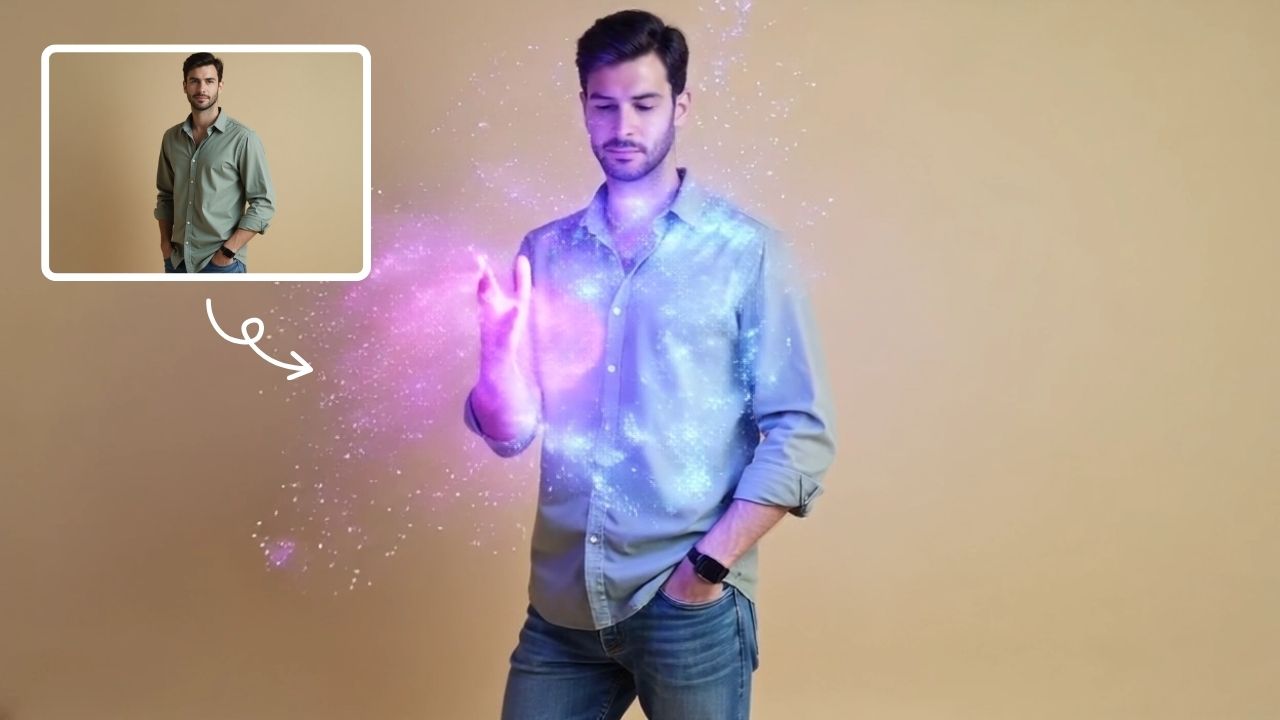
AI Magic instantly converts your photos into sorcerer images with a burst of light and energy. Highlighting unique powers and visual appeal, it offers quick, enchanting transformations for social media or personal use, making magic accessible to all.

Drag & Drop or Ctrl+V to paste

Support PNG, JPG, WEBP up to 10MB (Max 2 images)

This is an example of what AI can create. Generate your own video now!

Instantly Turn Photos into Sorcerers with AI Magic

In the age of social media, standing out often means presenting a version of ourselves that's larger than life. What if you could transform a simple selfie into a portrait of a powerful sorcerer, complete with crackling energy and arcane symbols? That's the core promise of AI Magic, an innovative online tool that uses advanced AI video generation to instantly convert your photos into captivating sorcerer images and short video clips. It's not just a filter; it's a complete digital transmutation, turning the mundane into the mythical with a burst of light.

What is AI Magic and How Does It Work?

AI Magic is a browser-based tool designed to apply a specific, high-quality "sorcerer" style effect to your images. Unlike generic photo filters, this tool intelligently analyzes your uploaded photo and then, through a process of AI video generation, creates a new piece of media. You provide a static image, and the AI model—often a powerful system like Sora 2 or Veo 3.1—generates a sequence where the subject in your photo appears to cast a spell. The output is a short video, typically around 10 seconds long, featuring glowing particles, floating arcane symbols, and trails of light emanating from the subject's hands, as if they are weaving magic.

This entire process, from upload to finished render, is remarkably fast. The video generation itself usually completes within one to three minutes, making it perfect for quick creative projects. You don't need any video editing skills or experience with complex software. The tool handles the entire scene creation and video rendering on its servers, delivering a polished, ready-to-share result directly to your browser. It's a seamless way to generate engaging content without any technical hurdles.

Why Use AI Magic? Key Scenarios and Benefits

The applications for AI Magic are as varied as your imagination. It solves the common problem of wanting high-concept, visually stunning content without the need for expensive equipment, special effects teams, or hours of manual work. Here’s when you might find it incredibly useful:

  • Social Media Content Creation: In a crowded feed, a video of you (or your pet!) transformed into a spellcasting sorcerer is guaranteed to stop the scroll. It’s perfect for platforms like Instagram Reels, TikTok, and YouTube Shorts, providing that element of surprise and high-quality visual appeal that drives engagement.
  • Personal Entertainment: Have fun with friends and family. Turn a group photo into a council of wizards or a classic portrait into a mystical ancestor. It’s a fantastic conversation starter and a unique way to personalize your digital presence.
  • Themed Events and Marketing: Imagine promoting a fantasy book launch, a new game, or a Halloween party with custom, AI-generated videos of your team or brand mascot wielding magical powers. It adds a layer of professionalism and thematic depth that standard graphics can't match.
  • Quick Visual Prototyping: For creators and marketers, it can be a rapid tool for visualizing concepts. Need to quickly convey an idea of "magical energy" for a mood board or a pitch? Generating a few examples with AI Magic can be done in minutes.

The primary advantage over manual methods is time and accessibility. What would take a digital artist hours to create in specialized software, AI Magic accomplishes in a couple of minutes. It democratizes high-end visual effects, making "magic" accessible to everyone.

Diving Deeper: Features and Workflow

To truly appreciate the tool, it helps to understand its main features and the simple workflow it enables. The experience is designed to be intuitive, focusing on getting you from a photo to a finished video with minimal friction.

The Core Transformation Process

The magic begins when you upload your photo. The tool is optimized to work with a standard image, but the best results come from clear, well-lit photos where the subject is visible. Here's a step-by-step look at the typical workflow:

  1. Upload: You select an image from your device. The tool processes this image client-side initially to prepare it for the AI model.
  2. Choose Your AI Model: You are often presented with a choice of underlying AI engines. For instance, you might select between Sora 2, known for its cinematic quality, or Veo 3.1, which might offer different strengths in image adherence or style. This choice can affect the final render and the credit cost.
  3. Select Aspect Ratio: Depending on your target platform, you can choose an aspect ratio. A 16:9 landscape format is ideal for YouTube, while a 9:16 portrait ratio is perfect for TikTok and Instagram Stories.
  4. Generate: With a single click, you initiate the process. The tool sends your request to its servers, where the chosen AI model begins the video generation. The wait time is usually between one and three minutes.
  5. Review and Download: Once complete, the generated video appears in your browser. You can preview the 10-second clip of your transformed, spell-casting self and then download it directly to your device, ready to be shared with the world.

Technical Aspects: A Glimpse Under the Hood

While the user interface is simple, the technology behind AI Magic is sophisticated. The core of the experience lies in the AI models powering it. Sora 2, for example, is an advanced model known for its ability to create complex scenes with multiple characters, specific types of motion, and accurate details of the subject and background. When you see "glowing particles" and "arcane symbols" in the prompt example, the model has been trained to interpret these concepts and physically plausible ways to render them in a video.

The process is also designed with user trust in mind. As an online tool, it relies on secure servers to process your images. Reputable tools will have clear privacy policies explaining how your data is handled, typically stating that uploaded images are used only for the generation process and are not stored permanently or used to train future models without consent. This commitment to data security is a crucial part of building trustworthiness with users.

Real-World Use Cases and Creative Ideas

The true potential of AI Magic is unlocked when you start brainstorming creative applications. It's more than just a novelty; it's a creative instrument.

  • The Solo Sorcerer: This is the most direct use. Take a standard portrait or selfie and watch yourself become a wizard, a mage, or a witch. The light trails and particles make it look like you're in the middle of a powerful incantation.
  • Fantasy Pet Portraits: Give your cat or dog magical abilities. Imagine your golden retriever conjuring a ball of light or your cat surrounded by floating, mystical symbols. It’s an instant hit with any pet-loving audience.
  • Dynamic Group Shots: Upload a photo of two or three people. The AI will interpret the scene, potentially showing all subjects collaborating on a spell or one figure being the primary caster. This can create a narrative feel, as if you're all part of a fantasy adventuring party.
  • Themed Storytelling: Create a series of videos to tell a micro-story. Video 1: a normal person. Video 2: they discover their power (using AI Magic). Video 3: they cast a grand spell to save the day. This sequential use can build a compelling narrative for social media.

By automating the complex process of scene creation and character animation, AI Magic allows you to focus on the fun part: the story you want to tell and the reaction you want to get.

Frequently Asked Questions

Here are some common questions about using AI Magic and the sorcerer transformation process.

What kind of photos work best with AI Magic?

For optimal results, use a clear, well-lit photo where the main subject (a person or animal) is facing the camera or is in sharp focus. Photos with a single, central subject tend to yield the most coherent and impressive transformations, as the AI can clearly identify who should be performing the spell.

How long does it take to generate a video with AI Magic?

The video generation process is quite fast. Once you select your photo, choose your preferred AI model like Sora 2, and hit generate, the rendering typically completes within one to three minutes. This quick turnaround makes it ideal for rapid content creation.

Can I use AI Magic for commercial projects?

This depends on the specific terms of service of the website. Generally, these tools are great for social media and personal use. If you intend to use the generated videos for advertising or other commercial purposes, it's always best to review the platform's licensing agreement to ensure compliance.

What are the key differences between the AI models, like Sora 2 and Veo 3.1?

The choice of AI model can influence the final video's style and quality. Sora 2 is often praised for its high-fidelity output and cinematic quality, accurately rendering complex scenes and details like the "arcane symbols" and "glowing particles." Veo 3.1, developed by Google, might offer different strengths, such as better adherence to the original image or alternative artistic interpretations. The best way to decide is to experiment with both if the option is available.

Is my uploaded data safe and private?

Trustworthy online tools prioritize user privacy. Reputable platforms will have a clear privacy policy explaining that uploaded images are processed temporarily to generate your video and are not stored permanently or used for other purposes. It's always good practice to look for this information on the website to ensure your data is handled securely.

What can I do if I'm not satisfied with the generated video?

As with any AI tool, results can vary. If the first output isn't perfect, you can try uploading a different photo with better lighting or a clearer subject. You might also experiment with the different AI models available to see which one produces a style you prefer for your specific image.

Do I need any special software or skills to use it?

Not at all. AI Magic is a completely browser-based online tool. You don't need to install any software or have any prior video editing experience. The entire process is designed to be intuitive: upload, click generate, and download.

What are the ideal aspect ratios for different social media platforms?

The tool typically offers both 16:9 and 9:16 aspect ratios. For horizontal platforms like YouTube, the 16:9 landscape mode is perfect. For vertical-first platforms like TikTok, Instagram Reels, and YouTube Shorts, you'll want to select the 9:16 portrait ratio to fill the screen.

Unleash Your Inner Mage

AI Magic represents a fascinating step forward in accessible AI creativity. It takes the complex task of video generation and distills it into a simple, fun, and fast process. Whether you're a content creator looking for an edge, a marketer brainstorming a fantasy-themed campaign, or just someone who wants to see themselves as a powerful sorcerer for a day, this tool delivers. By handling the intricate scene creation and rendering, it frees you to simply enjoy the wonder of transformation. Ready to see the magic? Head over to the website and let the transmutation begin.

Start Creating AI Videos Instantly

Turn simple text prompts into engaging videos using our powerful AI video generator. No editing skills required — just describe your idea and let AI do the work.

Generate Your First AI Video

More AI Video Tools

Explore more AI-powered video creation tools to expand your creativity

AI Bikini

AI Bikini

Our AI Bikini Generator lets you instantly create personalized beachwear designs. Simply input your preferences, and watch AI craft unique bikini styles tailored to you. Enjoy hassle-free customization, save time, and discover your perfect look without any cost or sign-up. Ideal for fashion lovers seeking quick, innovative solutions for summer outfits!

Try Now
AI Muscle Generator

AI Muscle Generator

AI Muscle Generator lets you visualize muscle growth instantly by uploading a photo. It upgrades your physique digitally in minute, offering a fun, gym-free way to see potential results. Ideal for motivation or entertainment, it provides quick, impressive transformations without any workout.

Try Now
AI Studio Ghibli

AI Studio Ghibli

AI Studio Ghibli offers a rich library of free AI video templates for effortless content creation. Transform images and text into engaging videos with one click. Its unique variety supports quick, professional results, saving time while boosting creativity—ideal for marketers and creators seeking high-impact visual content.

Try Now
AI Handshake

AI Handshake

AI Handshake revolutionizes digital communication with smart, adaptive connectivity. It delivers tailored experiences through AI-driven personalization, ensuring faster, more intuitive online interactions. Boost efficiency and engagement effortlessly with cutting-edge technology designed for modern users.

Try Now
AI Zombie

AI Zombie

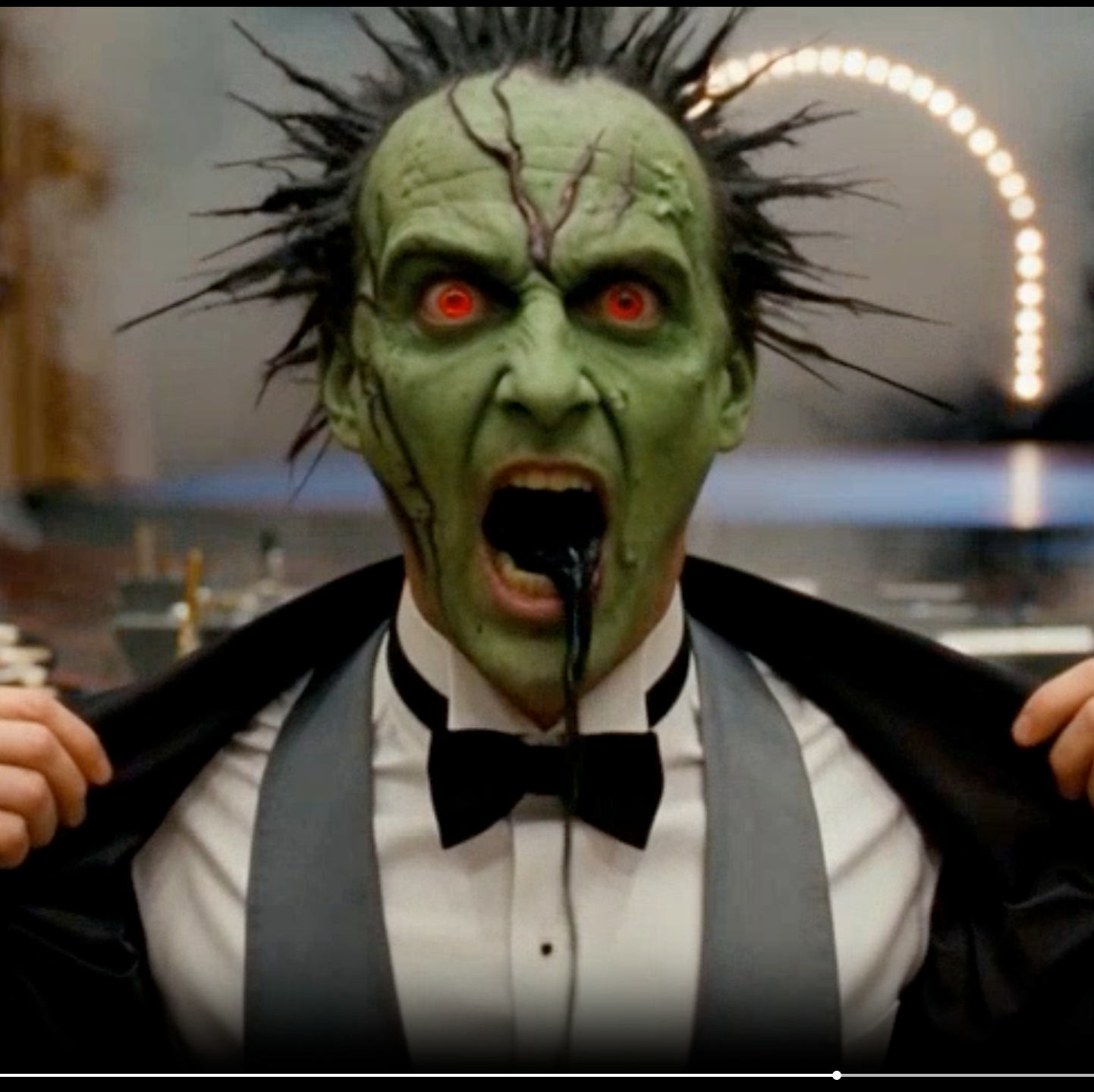
AI Zombie Transformation uses advanced AI to convert your photos into realistic zombie versions. Simply upload your image, and the tool generates a horrifying undead look with eerie details. It's fun, easy, and perfect for Halloween, parties, or sharing on social media to amaze friends. Try it now for a unique, chilling transformation!

Try Now
AI French Kiss Video Generator

AI French Kiss Video Generator

The AI French Kiss Video Generator by Supermaker AI lets you produce high-quality romantic videos effortlessly. Using advanced AI, it simulates realistic kissing scenes, saving time and enhancing creativity for filmmakers and content creators. Enjoy user-friendly controls and instant results to elevate your romantic storytelling.

Try Now
AI Pixel Video Generator

AI Pixel Video Generator

AI Pixel Video Generator instantly converts your images into smooth, expressive pixel art videos. Enjoy easy customization, realistic motion, and seamless sharing—boost your content with unique retro visuals effortlessly.

Try Now
AI Dragon Riding Video Generation

AI Dragon Riding Video Generation

Transform your imagination into breathtaking dragon riding videos. Our AI tool lets you create custom dragon scenes with realistic effects. Experience effortless video creation and share epic content in minutes. Free to use with powerful editing features.

Try Now
×

Unlock Premium AI Video Generator Features

Sign in with Google to access advanced editing tools, save your creations, and enjoy unlimited image enhancements.