AI Cursed Video

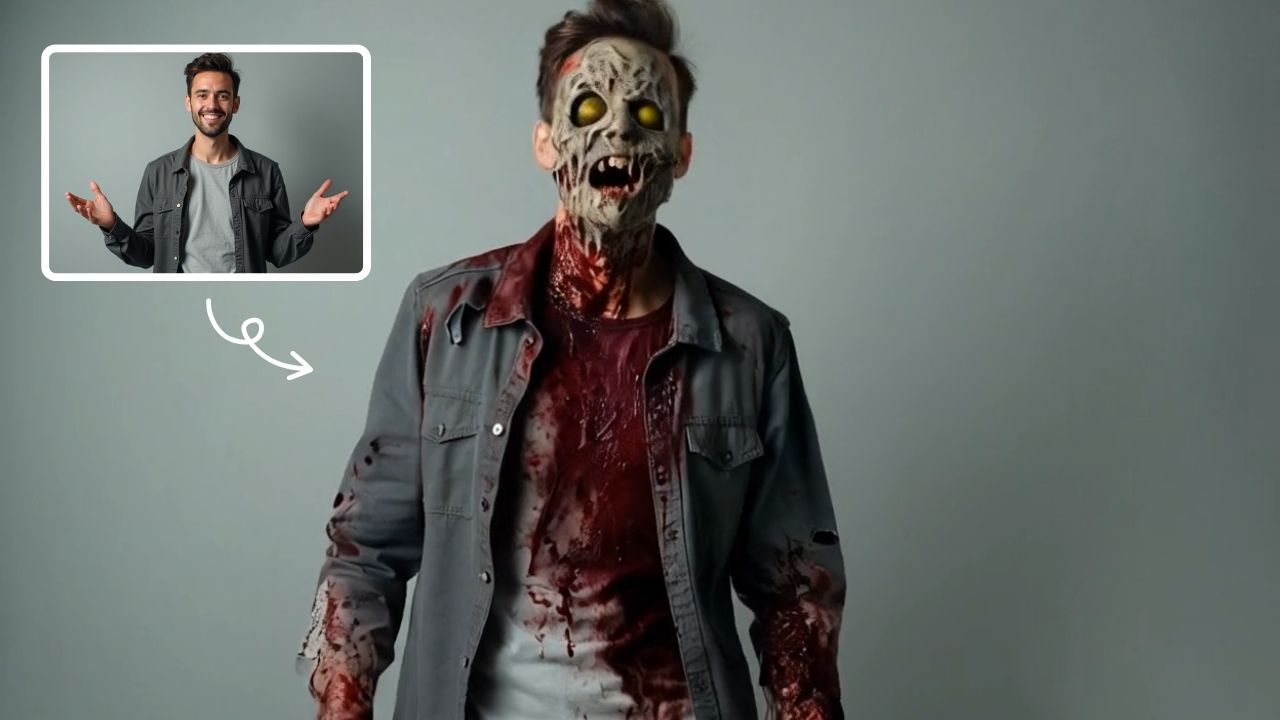
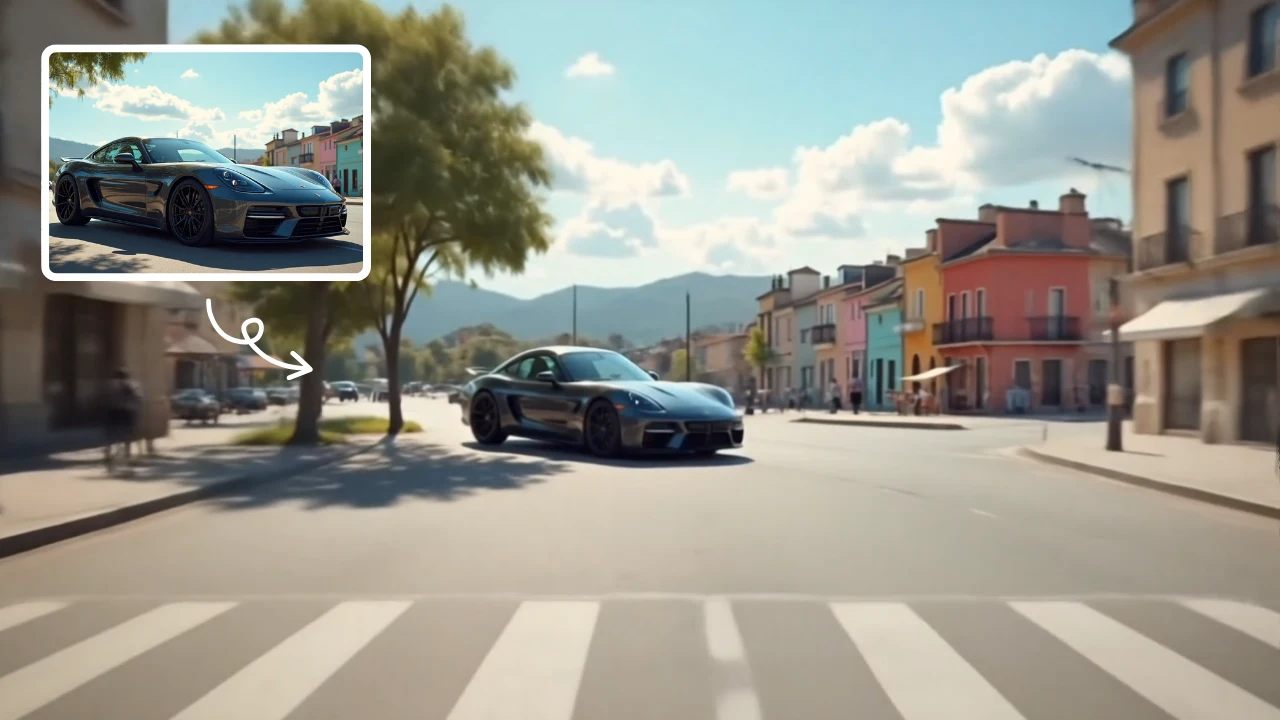
AI Cursed Video by Supermaker AI instantly transforms any portrait into spine-chilling cursed videos. Generate 1080p horror content featuring demonic transformations, green skin, sores, black veins, and realistic head twists with sound effects. Ideal for creating viral horror content effortlessly.

Free to Try
Fast Generation
🔒
Secure & Private

This is an example of what AI can create. Generate your own video now!

Drag & Drop or Ctrl+V to paste

Support PNG, JPG up to 10MB (Max 2 images)

Why Choose This AI Video Tool?

🤖

Advanced AI Models

Powered by cutting-edge AI including Sora, Kling, VEO for superior video quality.

Easy to Use

No technical skills needed. Simply describe your vision and let AI create magic.

🎨

Custom Styles

Choose from multiple art styles and aspect ratios to match your creative vision.

Fast Processing

Generate high-quality videos in minutes with our optimized AI pipeline.

AI Cursed Video: Transform Photos into Horror Videos

The internet has a relentless appetite for the bizarre, the unsettling, and the creatively macabre. From viral challenges to niche horror communities, users are constantly seeking new ways to generate content that shocks and entertains. Enter AI Cursed Video, a specialized tool by Supermaker AI designed to tap directly into this demand. It instantly converts a standard portrait into a short, high-definition horror clip, complete with demonic transformations and spine-chilling audio. This tool isn't just about applying a filter; it's about using advanced AI video generation to create a narrative of terror from a single image.

What Exactly is an AI Cursed Video?

At its core, AI Cursed Video is a browser-based generator that applies a specific, horror-centric transformation to any uploaded portrait. You provide a clear photo of a face, and the AI model—typically Sora 2 or Veo 3.1—processes it to create a 10-second video loop. The output features realistic mutations: the skin turns a sickly green, black veins become visible, oozing sores appear, and the eyes take on a demonic glow. Often, the head will perform an unsettling twist, all synchronized with eerie sound effects. It’s a complete, ready-to-post horror package generated in just a few minutes.

How Does the AI Video Generation Process Work?

The process is remarkably straightforward, removing the need for complex video editing software. Understanding the steps helps users get the best possible results from the AI model.

Step 1: Selecting Your Source Image

The quality of your input significantly impacts the final video. The tool works best with a front-facing, high-resolution portrait where the face is clearly visible. This gives the AI algorithm enough data to map the horror effects accurately onto the subject's features.

Step 2: Choosing Your AI Model and Settings

Before generation, you have a few critical choices. You can select between different AI models like Sora 2 or Veo 3.1, which may offer subtle differences in rendering style or motion fluidity. You'll also need to decide on the aspect ratio—16:9 for a widescreen feel or 9:16 for vertical videos perfect for TikTok, Instagram Reels, and YouTube Shorts. The standard duration is 10 seconds, which is ideal for capturing attention without overstaying its welcome.

Step 3: Instant Rendering and Download

Once you hit generate, the video rendering takes place on Supermaker AI's servers. The process is efficient, typically completing in 1 to 3 minutes. You don't need a high-powered computer; the heavy lifting is done in the cloud. Once finished, you can preview the cursed creation and download it directly in crisp 1080p resolution, ready for sharing.

Why Use This Tool? Common Use Cases and Scenarios

The applications for generating AI Cursed Video content are diverse, catering to different types of creators.

Content Creation for Social Media

This is the primary use case. In the fast-paced world of social media, grabbing attention within the first second is crucial. A cursed video, with its grotesque transformation and startling sound effects, is an engagement magnet. It's perfect for:

  • Halloween Campaigns: Brands and individuals can create themed content featuring their own faces or mascots.
  • Viral Challenges: The shocking nature of the videos makes them highly shareable, seeding potential trends.
  • Reaction Content: Creators can film their genuine reaction to seeing their own portrait turn demonic, creating a video-within-a-video effect.

Storytelling and Artistic Projects

Beyond virality, the tool offers a unique medium for digital artists and storytellers. It can be used to:

  • Visualize Characters: Quickly prototype the look of a possessed character for a short film, game concept, or written story.
  • Create Music Visualizers: Generate unsettling visuals that match the mood of dark, ambient, or horror-core music tracks.
  • Enhance AR Games and Filters: While the output is a video, the aesthetic can inspire new concepts for augmented reality experiences.

Memes and Entertainment

Sometimes, the goal is simply to unsettle your friends. The tool is a fantastic way to generate personalized horror memes. Transforming a friend's photo into a cursed video and sending it to a group chat is a guaranteed way to get a reaction—a perfect blend of humor and horror.

Key Features That Drive the Horror

The effectiveness of AI Cursed Video lies in its specific feature set, designed to maximize the "cursed" factor.

  • Demonic Visual Transformations: The AI doesn't just add a spooky filter. It intelligently alters the facial structure and texture, adding elements like black occult vomit and realistic, oozing sores for a truly grotesque effect.
  • Dynamic Motion and Head Twists: Static horror is limited. The inclusion of unsettling, physics-defying head twists adds a layer of dread, making the subject seem unnaturally animated and possessed.
  • Integrated Sound Effects: A silent horror video loses much of its impact. The tool automatically adds chilling sound design that syncs with the on-screen transformation, completing the terrifying atmosphere.
  • High-Resolution In an era of high-definition displays, 1080p resolution ensures the videos look crisp and professional, whether viewed on a phone or a desktop monitor.

AI Cursed Video vs. Manual Video Editing

Creating a video like this manually would be a Herculean task. It would require a skilled video editor, a VFX artist for the grotesque make-up effects, a sound designer for the audio, and hours, if not days, of painstaking work. This online tool compresses that entire pipeline into a few clicks and a couple of minutes of processing time. It democratizes access to complex AI video generation, allowing anyone with a photo to become a creator of viral horror content. The efficiency and speed are its greatest advantages over any traditional, manual approach.

Frequently Asked Questions

Is the AI Cursed Video tool free to use?

Pricing is typically based on a credit system. Each generation, using models like Sora 2 or Veo 3.1, consumes a certain number of credits. You can usually purchase credit packs or subscribe to a plan for regular use. It's best to check the Supermaker AI platform for the most current pricing details.

What kind of photos work best for generating a cursed video?

For optimal results, use a clear, well-lit, front-facing portrait. The AI needs to accurately map the transformations onto the face, so photos where the subject is looking directly at the camera and the face is unobstructed by hair, glasses, or heavy shadows will yield the most coherent and terrifying results.

How long does it take to generate an AI Cursed Video?

The processing time is quite fast. Once you submit your image and select your settings, the AI video generation typically completes in 1 to 3 minutes. You can remain on the page or, in some implementations, return later to download your finished video.

What can I do with the videos I create?

You own the content you create and are free to use it for personal entertainment, social media posting, or artistic projects. It's a fantastic tool for creating unique content for platforms like TikTok, Instagram, and YouTube. Always respect others' privacy and avoid using someone's photo without their explicit, enthusiastic consent.

What is the difference between using Sora 2 and Veo 3.1 for my cursed video?

Both are advanced AI models integrated into the tool. Sora 2 is known for its strong visual fidelity and adherence to the prompt's style. Veo 3.1, developed by Google, often excels at creating more complex, realistic motion. The "best" model can be subjective, and trying the same image on both can yield two distinct, equally cursed results. The credit cost might also vary between models.

In conclusion, AI Cursed Video stands out as a powerful and accessible tool for anyone looking to explore the darker side of content creation. By automating complex video generation and focusing on a specific, high-demand horror aesthetic, it empowers users to produce professional-looking, spine-chilling content in minutes. Whether for social media virality, artistic exploration, or just personal amusement, this tool transforms the simple act of uploading a photo into an encounter with the digital demonic.

Start Creating AI Videos Instantly

Turn simple text prompts into engaging videos using our powerful AI video generator. No editing skills required — just describe your idea and let AI do the work.

Generate Your First AI Video
SSL Secure Privacy Protected No Watermark

More AI Video Tools

Explore more AI-powered video creation tools to expand your creativity
AI Fight - AI Fight transforms ordinary photos of two people into thrilling battle scenes using AI. Simply upload a photo, and the tool animates them in an epic showdown. It's fast, easy, and requires no editing experience, making your photos stand out with excitement.

AI Fight

AI Fight transforms ordinary photos of two people into thrilling battle scenes using AI. Simply upload a photo, and the tool animates them in an epic showdown. It's fast, easy, and requires no editing experience, making your photos stand out with excitement.

Try Now
AI Studio Ghibli - AI Studio Ghibli offers a rich library of free AI video templates for effortless content creation. Transform images and text into engaging videos with one click. Its unique variety supports quick, professional results, saving time while boosting creativity—ideal for marketers and creators seeking high-impact visual content.

AI Studio Ghibli

AI Studio Ghibli offers a rich library of free AI video templates for effortless content creation. Transform images and text into engaging videos with one click. Its unique variety supports quick, professional results, saving time while boosting creativity—ideal for marketers and creators seeking high-impact visual content.

Try Now
AI Legged Runaway - AI Legged Runaway uses advanced AI to animate any object in your photos, giving them legs and a runaway personality. Simply upload an image, and watch as everyday items transform into escaping characters, providing endless entertainment. Perfect for creating viral content, surprising friends, or adding a twist to your photos. Experience the magic of AI-driven creativity today

AI Legged Runaway

AI Legged Runaway uses advanced AI to animate any object in your photos, giving them legs and a runaway personality. Simply upload an image, and watch as everyday items transform into escaping characters, providing endless entertainment. Perfect for creating viral content, surprising friends, or adding a twist to your photos. Experience the magic of AI-driven creativity today

Try Now
AI Haunted House - Transform your photos into terrifying haunted house videos with the Haunted House Video Generator. This AI tool adds monsters, ghosts, and eerie effects to create horror clips in minute. Enjoy easy sharing, instant results, and professional quality—perfect for social media, pranks, or creative projects. Experience fast, free horror video generation today!

AI Haunted House

Transform your photos into terrifying haunted house videos with the Haunted House Video Generator. This AI tool adds monsters, ghosts, and eerie effects to create horror clips in minute. Enjoy easy sharing, instant results, and professional quality—perfect for social media, pranks, or creative projects. Experience fast, free horror video generation today!

Try Now
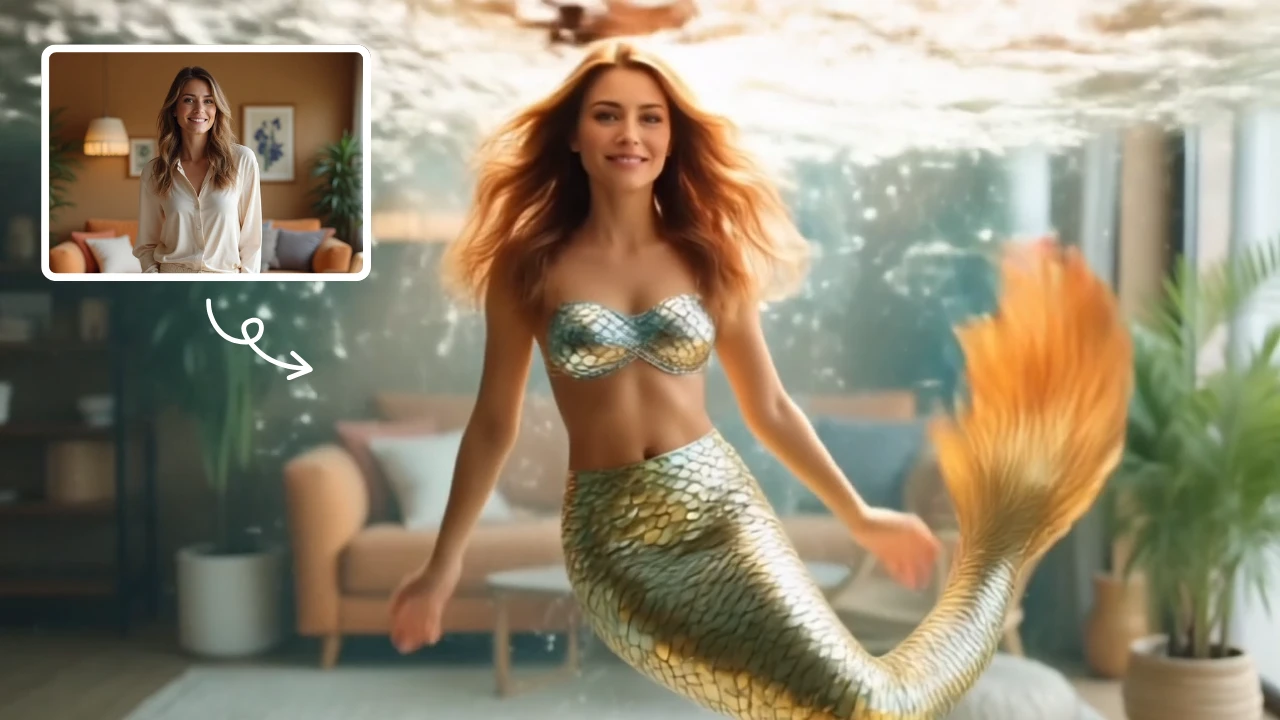
AI Mermaid Transformation - AI Mermaid Transformation is a free tool that instantly turns your photos into enchanting mermaid videos. Experience magical underwater effects with easy photo uploads. Create captivating mermaid transformations effortlessly and share your unique aquatic fantasy!

AI Mermaid Transformation

AI Mermaid Transformation is a free tool that instantly turns your photos into enchanting mermaid videos. Experience magical underwater effects with easy photo uploads. Create captivating mermaid transformations effortlessly and share your unique aquatic fantasy!

Try Now
AI Boom - AI Boom uses AI to turn your photos into thrilling action videos. Simply upload a photo, and watch as explosions blast behind you while you walk away coolly. It's fast, easy, and requires no expertise. Create viral-worthy content in minute and stand out on social media.

AI Boom

AI Boom uses AI to turn your photos into thrilling action videos. Simply upload a photo, and watch as explosions blast behind you while you walk away coolly. It's fast, easy, and requires no expertise. Create viral-worthy content in minute and stand out on social media.

Try Now
AI Inflate Effect - AI Inflate Effect instantly transforms ordinary photos by adding playful inflatable effects to any object. Simply upload your image, and our advanced AI automatically detects and inflates items with realistic balloon-like textures. Perfect for creating eye-catching social media content, unique memes, or creative presentations. Experience instant transformation with zero editing skills required - your inflated creations are ready in minute!

AI Inflate Effect

AI Inflate Effect instantly transforms ordinary photos by adding playful inflatable effects to any object. Simply upload your image, and our advanced AI automatically detects and inflates items with realistic balloon-like textures. Perfect for creating eye-catching social media content, unique memes, or creative presentations. Experience instant transformation with zero editing skills required - your inflated creations are ready in minute!

Try Now
AI Explode Effect - AI Explode Effect uses advanced AI to convert your photos into dynamic explosion artwork. Simply upload an image to generate vibrant energy bursts, emphasizing creativity and visual impact. Perfect for social media, digital art, or personal projects, it offers quick, stunning results with no design skills needed. Unleash your creativity and turn ordinary moments into explosive art!

AI Explode Effect

AI Explode Effect uses advanced AI to convert your photos into dynamic explosion artwork. Simply upload an image to generate vibrant energy bursts, emphasizing creativity and visual impact. Perfect for social media, digital art, or personal projects, it offers quick, stunning results with no design skills needed. Unleash your creativity and turn ordinary moments into explosive art!

Try Now