AI Bunnies Trampoline
AI Bunnies Trampoline is a free online tool that instantly creates engaging viral pet videos. Simply input your ideas to generate fun bunny trampoline clips perfect for TikTok, YouTube, and X. No registration required—start producing shareable content in minute, increasing your social media reach effortlessly.
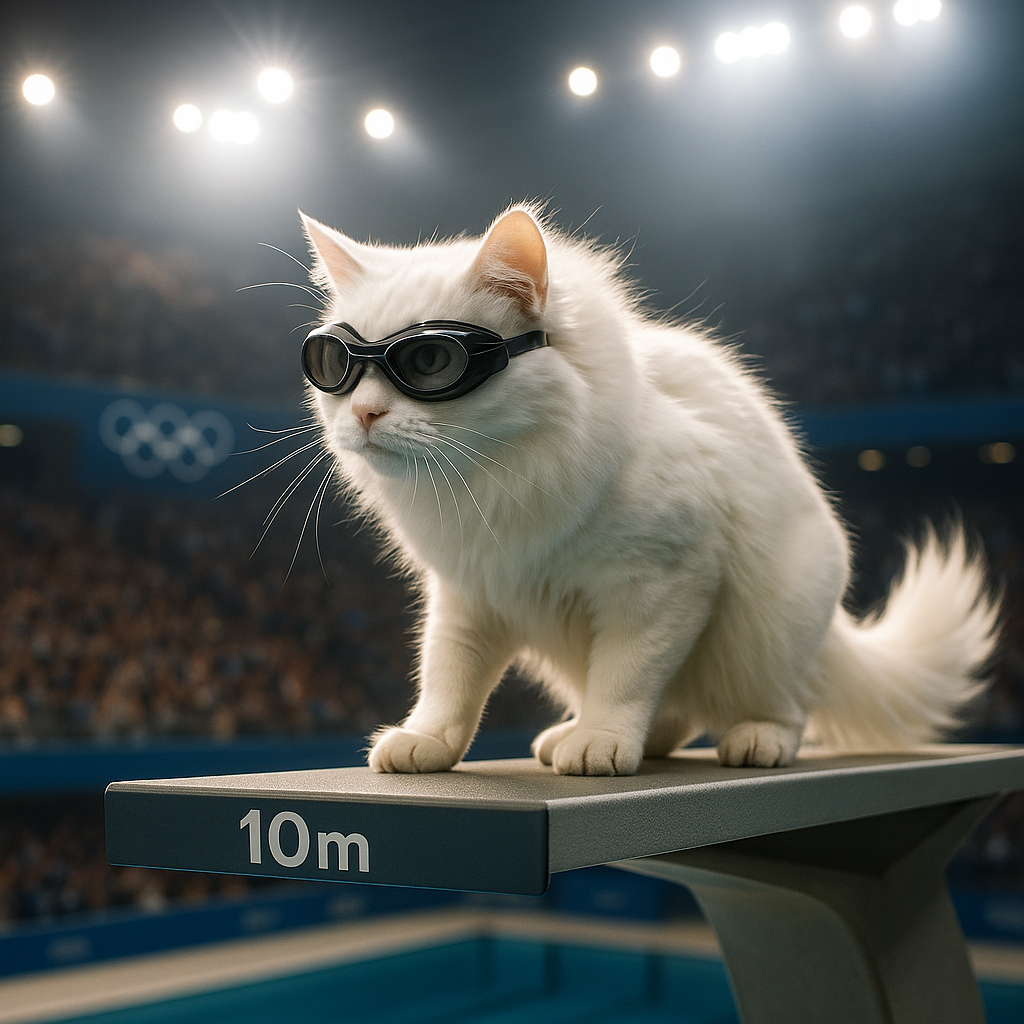
This is an example of what AI can create. Generate your own video now!
What Is AI Bunnies Trampoline?
AI Bunnies Trampoline is a free, browser-based tool that lets anyone create short, engaging videos of rabbits jumping on a trampoline. You simply type a description of the scene you want, and the artificial intelligence generates a unique clip in about one to three minutes. It is designed for social media users who want fresh, fun content without needing video editing skills or expensive software.
Create Viral Pet Videos with AI Bunnies Trampoline
Pet content dominates social media feeds. From TikTok to YouTube Shorts and X (formerly Twitter), videos of animals doing amusing things consistently drive high engagement. AI Bunnies Trampoline taps directly into this trend by providing an instant way to produce such material. You don't need a real pet, a trampoline, or a camera. The tool handles the entire video generation process based on your written prompts.
The platform is built for speed and simplicity. There is no registration wall, no credit card requirement, and no software to download. You land on the page, input your idea, and within minutes you have a finished video ready to post. This lowers the barrier for content creators, small business owners running social media accounts, or anyone who wants to add a touch of whimsy to their online presence.
How the Tool Works
The process behind AI Bunnies Trampoline relies on advanced AI video generation models. When you enter your prompt, the system interprets your text and constructs a scene frame by frame. It considers elements like the number of rabbits, their actions, the setting, and the lighting.
Behind the scenes, you can choose which AI model powers your creation. Options like Sora 2 or Veo 3.1 are available, each offering slightly different rendering characteristics and credit costs. The platform processes your request on remote servers, freeing your computer from heavy computational work. Once the video rendering is complete, you can preview and download the result directly through your browser.
When to Use AI Bunnies Trampoline
Understanding the ideal scenarios for this tool helps you integrate it into your workflow effectively.
Boosting Social Media Engagement
Social media algorithms favor fresh, original video content. If you manage accounts for a brand, a blog, or personal use, you face constant pressure to post new material. AI Bunnies Trampoline acts as a content engine. You can generate multiple clips in a short session and schedule them for future posts. The novelty of AI-generated bunnies often sparks curiosity and shares, increasing your reach organically.
Creating Unique Visual Assets
Sometimes you need a specific visual that doesn't exist in stock footage libraries. Perhaps you need a video of bunnies jumping on a trampoline in a cyberpunk city, or rabbits wearing tiny sunglasses while bouncing. Traditional methods would require 3D animation or elaborate props, which are impractical. This tool turns those niche ideas into reality. You simply describe the scene, and the AI constructs it.
Prototyping Video Concepts
For content strategists and video editors, the tool serves as a rapid prototyping device. Before committing time and resources to a full production, you can generate sample clips to test concepts with an audience. The fast generation time—typically between one and three minutes—allows for quick iteration. You can tweak prompts and see how variations change the output, refining your creative vision before moving to higher-fidelity production methods.
Key Features of the Platform
The utility of AI Bunnies Trampoline comes from its focused feature set, designed to remove friction from content creation.
- Text-to-Video Generation: The core function transforms text prompts into video scenes. You provide the creative direction, and the AI handles the execution.
- Multiple AI Model Selection: You can choose between different back-end models, such as Sora 2 or Veo 3.1. This gives you control over the generation style, duration, and quality, allowing you to balance speed against visual fidelity.
- Adjustable Aspect Ratios: The tool supports both landscape (16:9) and portrait (9:16) formats. This is critical for platform optimization—landscape for YouTube, portrait for TikTok and Instagram Reels.
- No Registration Required: The absence of sign-up forms means you can start generating content immediately. This respects your privacy and speeds up the creative process.
- Credit-Based System: Video generation consumes credits based on the model selected. This transparent system lets you manage usage without unexpected interruptions.
Practical Workflow for Content Creators
Integrating this tool into a regular content production routine is straightforward.
Start by brainstorming a list of prompts. Think about different scenarios: bunnies jumping at sunrise, bunnies on a trampoline in space, or bunnies bouncing with confetti. Having a batch of prompts ready streamlines the process. Next, open the tool and select your preferred aspect ratio based on your target platform. Enter your first prompt and choose the AI model. For quick tests, a model with lower credit cost might suffice. For final videos, you might opt for a more advanced model.
While the video renders—which takes one to three minutes—you can prepare captions or hashtags for the post. Once the video is ready, download it. You can then import it into a simple editing tool to add music or text overlays if desired, though the generated video itself is often ready to publish as-is. Repeat the process with your next prompt to build a content library.
Understanding the Technology
The magic behind this tool lies in recent advances in AI video generation. Models like Sora 2 and Veo 3.1 are trained on vast datasets of videos and images. They learn to understand how objects move, how light interacts with surfaces, and how scenes should logically progress over a short duration.
When you type "a group of rabbits were captured on a vintage home security camera jumping on a large trampoline in the yard," the AI does not retrieve a pre-existing clip. It generates new pixels based on its understanding of the words "rabbits," "trampoline," "vintage," and "security camera." It synthesizes motion, applies a grainy filter to mimic old footage, and ensures the rabbits' movements on the trampoline look physically plausible. This process happens in real-time on powerful hardware, which is why the generation takes a few minutes.
Privacy and Trust Considerations
Since no registration is required, AI Bunnies Trampoline collects minimal personal data. Your prompts are processed to generate the video, but the system is designed to prioritize user privacy. The videos you create are yours to use as you see fit. This transparency builds trust, especially for creators concerned about where their data goes and how their generated content might be used.
Frequently Asked Questions
What exactly is AI Bunnies Trampoline?
AI Bunnies Trampoline is a specialized online tool that uses artificial intelligence to create short video clips featuring rabbits jumping on a trampoline. You provide a text description, and the tool generates a unique video based on your prompt. It is completely free to use and requires no account creation.
How long does it take to generate a video?
The typical video generation time ranges from one to three minutes. The exact duration can vary slightly depending on the current server load and the complexity of the prompt you provide. The tool processes the request in the background, so you can leave the tab open and it will notify you when the video is ready.
Do I need video editing experience to use AI Bunnies Trampoline?
No, you do not need any video editing skills. The tool is designed for everyone. Your primary task is to write a creative prompt. The AI handles all the technical aspects of video creation, including animation, lighting, and rendering.
Can I use the videos I create for commercial purposes?
Yes, the videos you generate are yours to use. You can post them on social media, include them in marketing materials, or use them for any other personal or commercial project. The tool is designed to help you create content without licensing restrictions.
Which AI models power the video generation?
The platform integrates several leading AI video models. You can typically choose between options like Sora 2, known for its detailed scene construction, and Veo 3.1, which offers specific strengths in motion rendering. Each model consumes a different number of credits, giving you flexibility based on your needs.
Are there any limits on how many videos I can create?
While the tool is free to use, video generation consumes credits. The available credits are managed on the platform, and the policy may be subject to change. This system helps ensure fair usage for all creators.
What aspect ratios are supported for the videos?
You can generate videos in both 16:9 landscape format, which is ideal for YouTube and widescreen viewing, and 9:16 portrait format, which is optimized for mobile-first platforms like TikTok, Instagram Reels, and YouTube Shorts.
Do I need to create an account to use the tool?
No, there is no registration process. You can visit the website, type your prompt, and start generating videos immediately. This approach prioritizes your privacy and removes any barrier to starting your project.
Start Creating with AI Bunnies Trampoline
The demand for fresh, engaging video content never slows down. AI Bunnies Trampoline offers a direct path to meeting that demand with fun, shareable pet videos. By removing technical barriers and providing instant results, it empowers anyone to become a content creator. Whether you are looking to grow a social media following, add unique visuals to a project, or simply experiment with AI video generation, this tool provides the capabilities you need. Explore your creativity and see what unique bunny trampoline scenes you can bring to life.
Start Creating AI Videos Instantly
Turn simple text prompts into engaging videos using our powerful AI video generator. No editing skills required — just describe your idea and let AI do the work.
Generate Your First AI VideoMore AI Video Tools
Explore more AI-powered video creation tools to expand your creativity
AI Bikini
Our AI Bikini Generator lets you instantly create personalized beachwear designs. Simply input your preferences, and watch AI craft unique bikini styles tailored to you. Enjoy hassle-free customization, save time, and discover your perfect look without any cost or sign-up. Ideal for fashion lovers seeking quick, innovative solutions for summer outfits!
Try Now
AI Batman
AI Batman Transformation lets you convert any photo into an epic Batman video effortlessly. Using cutting-edge AI, it overlays dynamic costumes and effects, making you the star of your own superhero story. Enjoy quick, high-quality results with no editing required—ideal for fun social media posts or personal entertainment.
Try Now
AI Harley Quinn
AI Harley Quinn Transformation uses advanced AI to turn your photo into a Harley Quinn video instantly. Upload any photo, and watch as it transforms with her signature look and action-packed effects. Enjoy a unique, personalized experience that highlights your fun side, perfect for sharing on social media.
Try Now
AI vampire
AI Vampire Generator uses advanced AI to transform any selfie into realistic vampire makeup instantly. Perfect for Halloween, costume parties, or spooky social media content—no editing skills needed. Download your vampire makeover for free and stand out with eerie, professional-looking results!
Try Now
AI Dance Video
AI Dance Video by Supermaker AI instantly animates your photos into professional dance videos. Generate viral TikTok trends or K-pop moves with realistic animation. It's free, user-friendly, and perfect for creating engaging content that stands out online—no expertise required!
Try NowAI Pixel Video Generator
AI Pixel Video Generator instantly converts your images into smooth, expressive pixel art videos. Enjoy easy customization, realistic motion, and seamless sharing—boost your content with unique retro visuals effortlessly.
Try Now
AI Face Punch
AI Face Punch offers intuitive AI video templates that let you transform text or images into engaging videos instantly. Its key features include diverse template options, one-click generation, and seamless customization, saving time while enhancing visual content quality. Perfect for marketers and creators seeking fast, professional results without technical skills.
Try Now
AI Melt Effect
AI Melt Effect uses advanced AI to instantly create mesmerizing melting effect videos from your images. Enjoy powerful features, fast processing, and a free platform. Turn ordinary photos into extraordinary art effortlessly.
Try Now
Continue with Google